
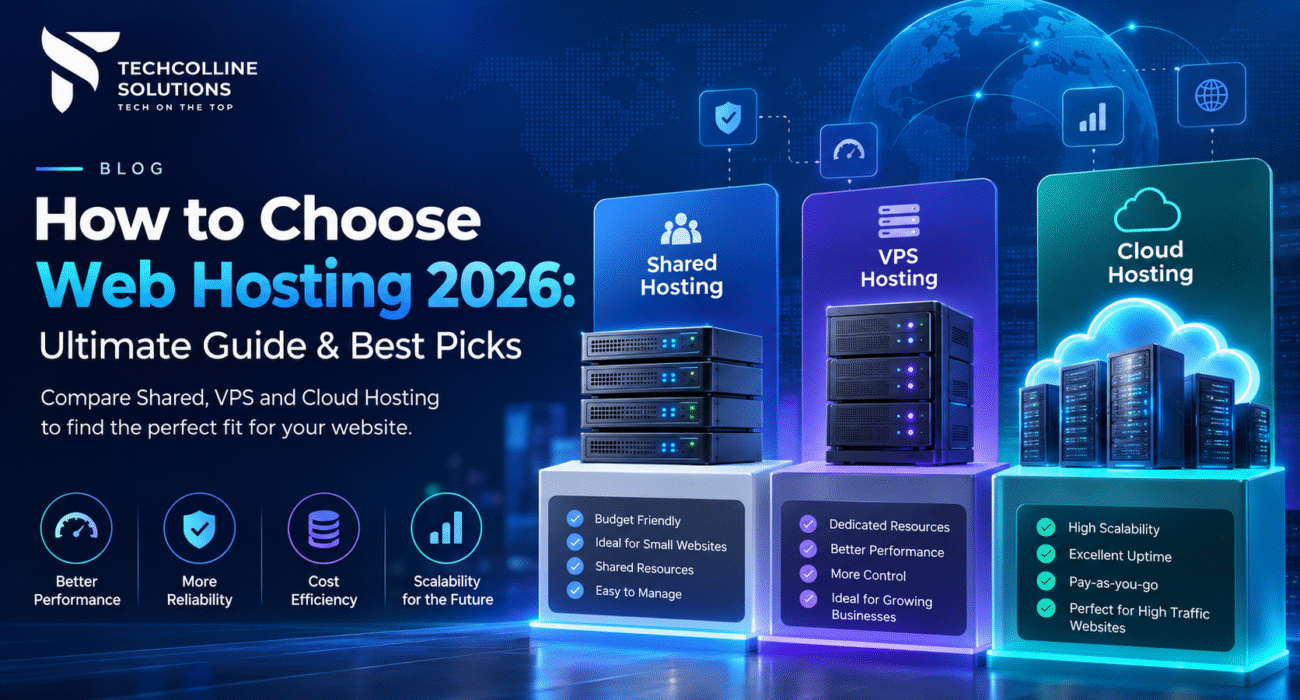
You have designed the pages, written the code and tested every feature. Now comes the decision that quietly decides how fast, secure and reliable all that work will be: where to host it. This guide explains how to choose web hosting for your exact project, from a simple portfolio to a WooCommerce store or a Node.js web application.
At Techcolline Solutions, we build websites, web apps and mobile backends for clients around the world. Hosting questions come up on almost every project, so we have put everything we check into one practical guide.
Disclosure: Techcolline Solutions is a Hostinger partner. Some links in this guide are referral links.
What is web hosting?
Web hosting is rented space and computing power on a server that is connected to the internet 24/7. Your website’s files, database and application code live on that server, and it sends them to visitors when they type your domain name.
Think of your domain as your address and hosting as the building. Without hosting, a domain points nowhere.
Understanding them is the first step in learning how to choose web hosting. Every hosting plan gives you four core resources:
- CPU – processing power that runs your code and handles requests
- RAM – short-term memory; more RAM means more visitors served at once
- Storage – where files and databases live (NVMe SSD is the 2026 standard)
- Bandwidth – how much data can travel between the server and your visitors
How these resources are shared, isolated and managed is what separates one type of hosting from another, and it is the core of how to choose web hosting wisely.
Why your hosting choice affects SEO and revenue
Google uses page experience signals, including Core Web Vitals, as ranking factors. A slow server raises your Time to First Byte, which drags down Largest Contentful Paint and every other speed metric. You can check your site’s scores with Google’s Core Web Vitals guide.
Downtime costs you directly too. An online store that is offline for an hour loses every sale in that hour, and visitors who hit an error page often never return. That is why knowing how to choose web hosting matters as much as the code you write.
Types of web hosting explained
There are six main types of web hosting, and the right one depends on traffic, technical skill and how much control you need. Here is how they compare at a glance, and this table is the quickest answer to how to choose web hosting by project size.
| Hosting type | Best for | Control | Technical skill | Typical cost (USD/month) |
|---|---|---|---|---|
| Shared hosting | Blogs, portfolios, small business sites | Low | Beginner | $2–$10 |
| WordPress hosting | WordPress and WooCommerce sites | Low–medium | Beginner | $3–$25 |
| Cloud hosting | Growing businesses, agencies, busy stores | Medium | Beginner–intermediate | $10–$200 |
| VPS hosting | Web apps, APIs, custom stacks, Docker | Full (root) | Intermediate–advanced | $10–$100 |
| Dedicated server | Very high traffic, strict compliance | Full | Advanced | $80–$500 |
| Agency / reseller hosting | Agencies managing many client sites | Medium | Intermediate | $25–$100+ |
Price ranges are typical market rates in 2026, per Hostinger’s hosting cost guide.
Shared hosting
With shared hosting, many websites live on one server and share its CPU, RAM and storage. It is the cheapest way to get online, and the host manages security, updates and the server itself.
The trade-off is limited resources. Good hosts isolate accounts so one busy neighbour cannot slow you down, but shared hosting is not built for heavy traffic or custom server software.
Choose it if: you are launching a blog, portfolio, landing page or small business website with up to a few thousand visitors a day.
WordPress hosting
WordPress hosting is shared or cloud hosting tuned specifically for WordPress. Expect one-click installs, automatic core and plugin updates, built-in caching (often LiteSpeed), staging sites and WP-CLI access.
Choose it if: your site runs on WordPress, which still powers a large share of the web, or on WooCommerce.
Cloud hosting
Cloud hosting gives your site dedicated resources drawn from a cluster of servers, but the host still manages everything. You get more CPU, RAM and PHP workers than shared hosting, with the same easy control panel.
It is the natural upgrade when your shared plan starts hitting limits, and you do not want to manage a server yourself.
Choose it if: you run a growing store, a high-traffic content site or several client websites.
VPS hosting
A virtual private server (VPS) is an isolated virtual machine with guaranteed CPU, RAM and storage, plus full root access. You can install any operating system, runtime, database or control panel you like.
VPS is where developers usually land. It runs Node.js, Python, Laravel, Docker containers, n8n automations, game servers and even small self-hosted AI models. In 2026 many hosts offer AI-assisted VPS management, which lowers the learning curve considerably.
Choose it if: you are deploying a custom web application, API or anything shared hosting cannot run. For developers, this is often the real answer to how to choose web hosting.
Dedicated servers
A dedicated server is a whole physical machine reserved for you. It offers maximum performance and isolation but costs the most and needs real sysadmin skills. Most projects are better served by a large VPS or cloud plan until they reach serious scale.
Agency hosting
Agency hosting bundles dozens of isolated client sites under one account, with client access sharing, white-label dashboards and monitoring. It suits agencies and freelancers who build and maintain sites for clients.
Shared vs VPS vs cloud hosting: the quick decision
- Start on shared or WordPress hosting if the site is new and mostly content.
- Move to cloud hosting when traffic or the number of sites grows but you still want the host to manage everything.
- Choose VPS hosting the moment you need root access, a custom runtime or Docker. This simple rule covers how to choose web hosting for most projects.
Best hosting for your type of project
The best hosting for one project can be the wrong choice for another. When you work out how to choose web hosting, match your plan to what you are actually building, using the recommended starting specs below.
| Project | Recommended hosting | Starting specs | Must-have features |
|---|---|---|---|
| Blog, portfolio, landing page | Shared / WordPress | 1 CPU, 2 GB RAM, 20 GB storage | Free SSL, CDN, weekly backups |
| Small business website (5–20 pages) | Shared / WordPress | 2 CPU, 3 GB RAM, 50 GB NVMe | Business email, daily backups |
| WooCommerce or ecommerce store | Cloud hosting | 4 CPU, 4 GB RAM, 100 GB NVMe, 100 PHP workers | Daily backups, staging, dedicated IP |
| Agency with 10–100 client sites | Cloud or agency hosting | 4–6 CPU, 4–12 GB RAM | Site isolation, client access, monitoring |
| Node.js / Next.js app (light) | Managed Node.js on web hosting | Plan with Node.js support | Git deploy, environment variables |
| Custom web app, API, SaaS MVP | VPS | 2 vCPU, 8 GB RAM, 100 GB NVMe | Root access, Docker, firewall, snapshots |
| Mobile app backend (REST / GraphQL) | VPS | 2–4 vCPU, 8–16 GB RAM | Dedicated IP, SSL, database tuning |
| n8n, automation, AI agents | VPS | 2 vCPU, 8 GB RAM | Docker, one-click templates |
| High-traffic platform | Large VPS or cloud cluster | 8 vCPU, 32 GB RAM+ | Load balancing, monitoring, CDN |
WordPress and WooCommerce websites
For WordPress, the number that matters most after RAM is PHP workers. Each worker handles one uncached request at a time. A brochure site runs fine on 40 workers; a busy WooCommerce store with logged-in shoppers, carts and checkouts needs closer to 100.
Look for LiteSpeed web server with LiteSpeed Cache, object caching, free staging and automatic malware scanning. Keep PHP on a supported version (8.2 or newer), as listed in the official WordPress hosting requirements. These details decide how to choose web hosting for WordPress.
Node.js, Next.js and modern JavaScript apps
You no longer always need a VPS for Node.js. Several hosts, including Hostinger, now support Node.js apps on their regular web hosting plans with managed deployment. This suits light apps, Next.js sites and small APIs.
Move to a VPS when you need WebSockets at scale, background workers, a specific Node version manager, Redis or a custom reverse proxy setup with Nginx and PM2.
Custom web applications and SaaS
Laravel, Django, Flask, Ruby on Rails and Go apps belong on a VPS. You get full control of the runtime, database (PostgreSQL, MySQL, MongoDB) and process manager.
A 2 vCPU / 8 GB RAM VPS comfortably runs an MVP with its database on the same machine. Split the database onto its own server only when you start seeing contention.
Mobile app backends
If you build Flutter, React Native or native apps with a custom backend instead of Firebase, host the API on a VPS. Use a dedicated IP, force HTTPS, put the API behind Nginx and enable automatic backups of your database.
Agencies and freelancers
If you manage many client sites, the single most valuable feature is site isolation: one hacked or overloaded site cannot affect the others. Client access sharing and white-label dashboards save hours of support every month. Agencies deciding how to choose web hosting for client work should treat isolation as non-negotiable.
How to choose web hosting: the 12-point technical checklist
If you are unsure how to choose web hosting, run every plan against this checklist before you pay. These are the same points our developers review before recommending hosting to a client.
Performance
- NVMe SSD storage. NVMe is several times faster than older SATA SSDs and is now the baseline for quality hosting. Avoid plans that still list HDD storage.
- Modern CPUs and enough RAM. Look for current-generation processors (such as AMD EPYC) and check the RAM figure, not just storage.
- Web server and caching. LiteSpeed or Nginx with server-level caching beats plain Apache at the same price. HTTP/3 support is a bonus.
- Built-in CDN. A content delivery network serves images and static files from locations near your visitors.
- Data center location. Host close to your main audience. Serving US customers from an Asian data center, or the reverse, adds latency to every request.
Developer features
- SSH, Git and WP-CLI access. Essential for professional deployments and automation.
- Runtime support. Check PHP version management, Node.js support, Python availability and database limits (number and size) for your stack.
- Staging environments. Test updates on a copy of your site before pushing them live.
- Cron jobs and an API. For scheduled tasks and automating server management.
Security and reliability
- Free SSL, firewall and malware scanning. SSL should install automatically. Look for DDoS protection and a web application firewall.
- Automatic backups. Daily backups with one-click restore is the standard for anything that earns money. Weekly is acceptable only for small, static sites.
- Uptime guarantee and support. 99.9% is the minimum. Make sure 24/7 support is available by live chat, not just tickets.
Pricing traps to watch for
- Renewal pricing. Introductory prices often require a 24–48 month term and renew at two to four times the starting rate. Compare total cost over the full term.
- “Unlimited” resources. Unlimited usually means subject to a fair usage policy. Check inodes (file count), PHP workers and database size instead.
- Paid extras. Confirm that SSL, backups, email and domain privacy are included rather than sold as add-ons.
- Refund window. A 30-day money-back guarantee lets you test real performance with your own site.
Why we recommend Hostinger for most projects
When clients ask us how to choose web hosting, we usually start with Hostinger. For most websites and web apps we build, Hostinger ticks every box on the checklist above at a lower price than most competitors. It covers the full range in one dashboard: web hosting, WordPress, cloud, VPS and agency plans.
What stands out for developers:
- NVMe storage, LiteSpeed servers and a free CDN on web hosting plans
- Node.js support on regular web hosting plans, so light JavaScript apps do not need a VPS
- KVM VPS with AMD EPYC CPUs, full root access, Docker and one-click OS templates
- AI-managed VPS that can troubleshoot, manage containers and configure security from plain-language instructions
- SSH, WP-CLI, Git, staging, cron jobs and a public API with an MCP server for AI coding tools
- Free domain for the first year, free SSL, free website migration and a 30-day money-back guarantee
Hostinger web and cloud hosting plans
| Plan | Intro price | Renews at | Websites | Storage | CPU / RAM | PHP workers | Backups |
|---|---|---|---|---|---|---|---|
| Premium | $2.99/mo | $10.99/mo | 3 | 20 GB SSD | 1 core / 2 GB | 40 | Weekly |
| Unlimited | $3.99/mo | $16.99/mo | Unlimited | 50 GB NVMe | 2 cores / 3 GB | 60 | Daily |
| Cloud Startup | $7.99/mo | $25.99/mo | Unlimited | 100 GB NVMe | 4 cores / 4 GB | 100 | Daily + on demand |
Intro prices are for a 48-month term, paid upfront, excluding VAT. All three plans support WordPress and Node.js. Source: Hostinger pricing, October 2026.
Hostinger VPS plans
| Plan | vCPU | RAM | NVMe storage | Bandwidth | Intro price | Renews at |
|---|---|---|---|---|---|---|
| KVM 1 | 1 | 4 GB | 50 GB | 4 TB | $6.49/mo | $11.99/mo |
| KVM 2 | 2 | 8 GB | 100 GB | 8 TB | $8.79/mo | $14.99/mo |
| KVM 4 | 4 | 16 GB | 200 GB | 16 TB | $12.99/mo | $28.99/mo |
| KVM 8 | 8 | 32 GB | 400 GB | 32 TB | $25.99/mo | $49.99/mo |
Prices for a 24-month term. Source: Hostinger VPS pricing, October 2026.
Which Hostinger plan should you pick?
- Premium: a single blog, portfolio or landing page
- Unlimited: small business sites, freelancers with several sites, light Node.js apps
- Cloud Startup: WooCommerce stores, busy content sites, agencies
- KVM 2: the sweet spot for custom web apps, APIs, mobile app backends and n8n
- KVM 4 or KVM 8: SaaS products, heavy databases and high-traffic applications
- Agency plans: 100+ client sites with isolation and white-label dashboards
Save 20% on Hostinger with our referral link
As a Hostinger partner, we can offer our readers an extra 20% off their hosting purchase. Use either option at checkout:
- Referral link: Get 20% off Hostinger
- Coupon code: TECHCOLLINE
Need help choosing a plan, migrating an existing site or setting up a VPS for your web application? Talk to the Techcolline team and we will recommend the right setup for your project.
Frequently asked questions about web hosting
Add these with the Rank Math FAQ block so FAQ schema is generated automatically.
What is the best type of web hosting for beginners?
Shared or WordPress hosting. The host manages the server, security and updates, and plans start at a few dollars a month. You can upgrade to cloud or VPS hosting later without rebuilding your site.
How to choose web hosting for a small business?
Start with your website type and expected traffic, then check four things: NVMe storage, daily backups, free SSL and 24/7 support. For most small businesses, that is all you need to know about how to choose web hosting: a managed web hosting plan with 2 CPU cores and 3 GB RAM is enough to begin.
What is the difference between shared and VPS hosting?
Shared hosting splits one server’s resources among many sites and is fully managed by the host. A VPS gives you guaranteed CPU and RAM in an isolated virtual machine with root access, so you can install any software, but you manage it yourself.
What is cloud hosting?
Cloud hosting gives your website dedicated resources from a cluster of servers while the host still handles management. It offers more power and reliability than shared hosting without the technical work of a VPS.
How much RAM does my website need?
A blog or small business site runs well on 2–3 GB. A WooCommerce store should have at least 4 GB, and custom web apps or APIs on a VPS typically start at 8 GB to leave room for the database.
Can I host a Node.js app on shared hosting?
Yes, with hosts that support it. Hostinger, for example, includes Node.js support on its regular web hosting plans. For apps that need background workers, WebSockets at scale or custom server software, a VPS is the better choice.
Is free web hosting worth it?
Not for a business. Free hosts usually limit storage and bandwidth, show ads, skip backups and offer no support or uptime guarantee. Affordable paid hosting costs only a few dollars a month and avoids all of these problems.
How do I get a discount on Hostinger?
Use the Techcolline referral link or enter the coupon code TECHCOLLINE at checkout to save 20% on your purchase.
Can I move my existing website to a new host?
Yes. Most quality hosts, including Hostinger, offer free website migration. Keep your old hosting active until the new site is tested and DNS has fully switched over.
Conclusion: choose hosting for where your project is going
Knowing how to choose web hosting comes down to three questions: what are you building, how much traffic do you expect, and how much control do you need? Start with shared or WordPress hosting for content sites, move to cloud hosting as you grow, and pick a VPS the moment your project needs a custom stack.
Whichever plan you choose, check it against the 12-point checklist, compare renewal prices and insist on NVMe storage, daily backups and real 24/7 support.
Ready to launch? Get 20% off Hostinger with code TECHCOLLINE, or contact Techcolline Solutions if you would like our team to build, deploy and host your website or web application for you.